Creating packages, scripts and policies that properly deploy macOS applications can be easy as pie. Especially if your only goal is to repackage a simple app that would otherwise be dragged into the Applications folder without applying further settings, or if the vendor has supplied a suitable .pkg and documented their settings.
At other times, it is necessary to analyze app behavior to assist in deploying the package with desired settings. In other words, there is an element of forensics and reverse engineering.
An obvious first step is looking for relevant .plist files in the ~/Library/Preferences folder, running defaults read on the ones used by the app you’re installing.
Configuration files can also reside in non-standard locations. A particularly useful tool to find relevant files on macOS is FSMonitor. It will show you what files are modified when you run or install an app or change a particular preference. You can then look for what seems like configuration files and open them in an editor.
The diff command can be used to compare a file before and after making a setting, if you make a copy before the change – to find the right preference.
Another useful tool is EasyFind. It can be used to search for relevant files and settings, as well as file contents.
Some apps, like FileZilla, will store their configuration file in a traditional Unix location like ~/.config. Others may use an undocumented database. A case-in-point: Microsoft’s database emulating the Windows registry, located at ~/Library/Group Containers/UBF8T346G9.Office/MicrosoftRegistrationDB*.reg. You can have a look at it using DB Browser for SQLite:
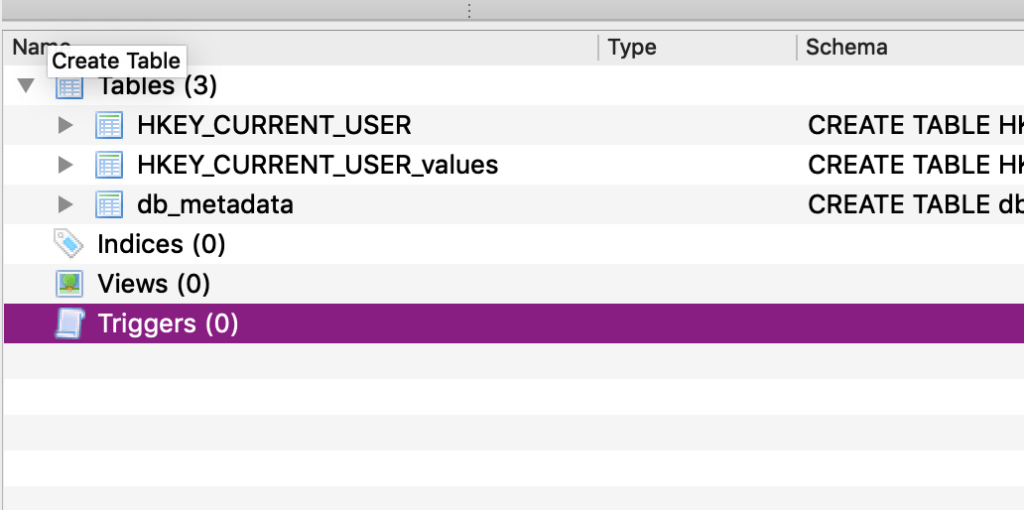
Some settings (like the the ones above) aren’t meant to be modified by the user or do not respond well to modification, so don’t go all in without testing and perhaps contacting the developer or vendor. Oftentimes the latter will have internal documentation for IT admins and be able to tell you what preferences to set to preinstall a serial number, for instance. In the case of Microsoft, they made .plist files with many useful settings available just for Macintosh systems administrators and documented them on their macadmins.software site, so we wouldn’t have to worry about their database.
Do you know of other useful tools or techniques for understanding app behavior?
Please comment.
 SoundSnw