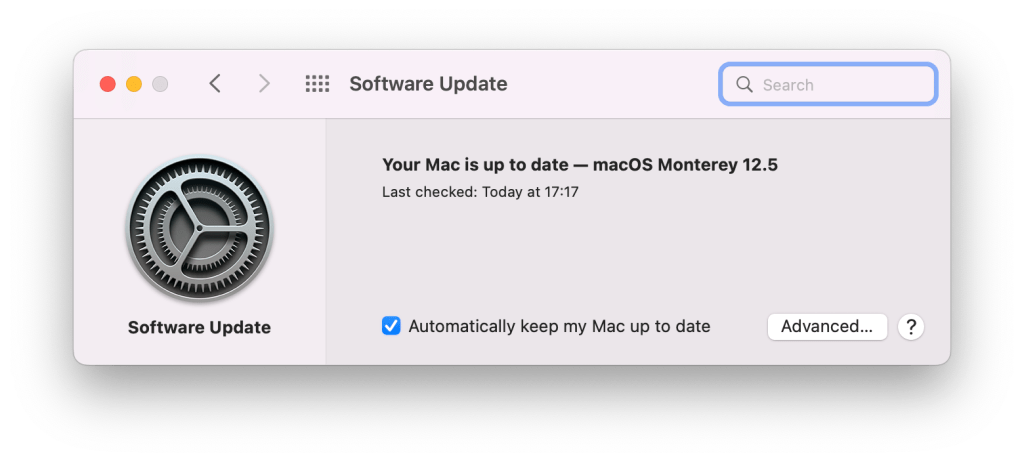
On recent versions of macOS, reminding the user to update using Apple’s Software Update dialog in System Preferences is often preferable to other update strategies. There are several ways to do it. One well-known solution is Nudge, which works well, but may be a bit too comprehensive for some.
If you, like me, prefer simple solutions based on Jamf’s existing toolset – look no further. I created a very simple solution based on jamfHelper: SimpleNudge.sh – only 15 lines of code.
To set up:
- Upload SimpleNudge.sh under Computer Management – Scripts
- In Computer Management – Management Framework – Extension Attributes, create a new Extension Attribute called Software Updates Available. Data Type: String, Inventory Display: General, Input Type: Script. Using the following script RecommendedUpdates.sh.
- Create a Smart Computer Group called Has Apple Software Updates Available with the Criteria Software Updates Available is True.
- Create a Policy to run the SimpleNudge.sh script uploaded earlier on Recurring Check-in Once every day (probably most effective, but you may choose another interval, according to preference) with the Smart Computer Group created above as its Target under Scope
This file contains hidden or bidirectional Unicode text that may be interpreted or compiled differently than what appears below. To review, open the file in an editor that reveals hidden Unicode characters.
Learn more about bidirectional Unicode characters
| #!/bin/zsh | |
| export PATH=/usr/bin:/bin:/usr/sbin:/sbin | |
| jamfHelper="/Library/Application Support/JAMF/bin/jamfHelper.app/Contents/MacOS/jamfHelper" | |
| description="Your Mac has important operating system updates available." | |
| button1="See Updates" | |
| icon="/Library/Application Support/YourCompany/yourlogo.png" | |
| title="Update Notification" | |
| heading="Please Update macOS" | |
| "$jamfHelper" -windowType utility -description "$description" -title "$title" -heading "$heading" -button1 "$button1" -icon "$icon" | |
loggedInUser=$( scutil <<< "show State:/Users/ConsoleUser" | awk '/Name  && ! /loginwindow/ { print $3 }' ) && ! /loginwindow/ { print $3 }' ) |
|
| sudo -u "$loggedInUser" open "x-apple.systempreferences:com.apple.preferences.softwareupdate" |
You should combine this policy with a configuration profile or script that enables automatic Apple’s software update checks. If you want your company’s logo in the dialog box, you need to pre-deploy it and specify its’ path under icon= in SimpleNudge.sh.
 SoundSnw